

HSDL (HCM Spreadsheet Data Loader) in Oracle Fusion HCM — Complete Guide
What is HSDL (HCM Spreadsheet Data Loader)?
HSDL, or HCM Spreadsheet Data Loader, is Oracle Fusion HCM’s spreadsheet-based data loading tool designed mainly for functional users and HR business teams.
HSDL allows users to upload data through Excel spreadsheets integrated with Oracle using ADFDI (Application Development Framework Desktop Integration), in which user can login, fill and upload the data via Excel spreadsheets.
Why do we use HSDL in Oracle Fusion HCM?
1. User-Friendly Interface
HSDL uses Excel spreadsheets, making it easy for HR and functional users to upload data.
2. No Technical Coding Required
Users don’t need to write HDL .dat files or learn complex syntax.
3. Faster Data Uploads
Helps quickly upload or update jobs, workers, departments, grades, etc.
4. Built-in Data Validation
HSDL checks mandatory fields, formats, and business rules before upload.
Best for Functional Consultants & HR Teams
Easy for testing, corrections, and day-to-day data management directly from Excel.
How to work on HSDL in Oracle Fusion HCM (Step-by-Step)
Navigation: -
My Client Groups → Data Exchange

Click On Spreadsheet Templates under HCM Spreadsheet Data Loader

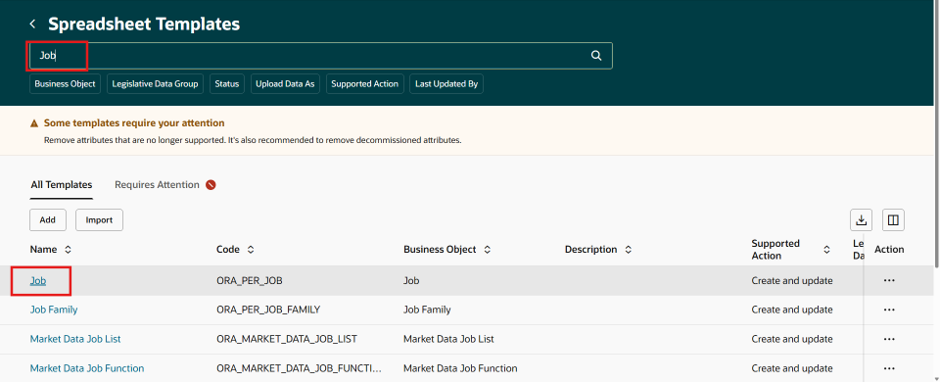
Search for Job and Click on it
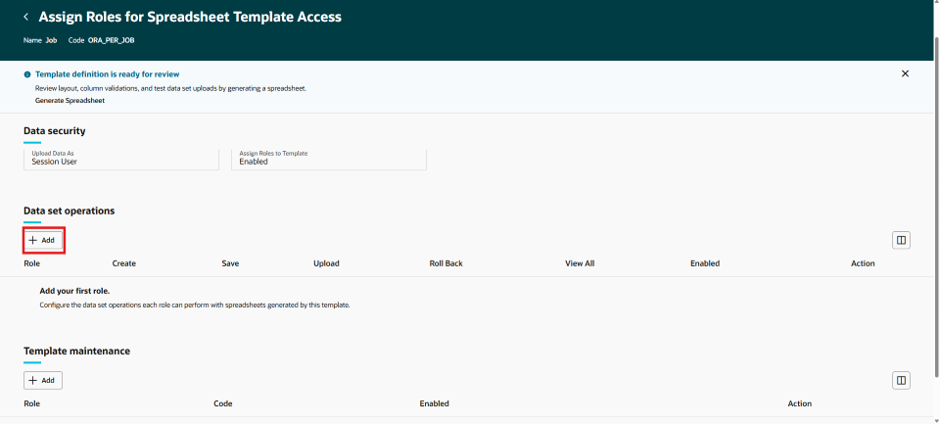
Click on +Add to assign role for spreadsheet template access under Data Set Operation
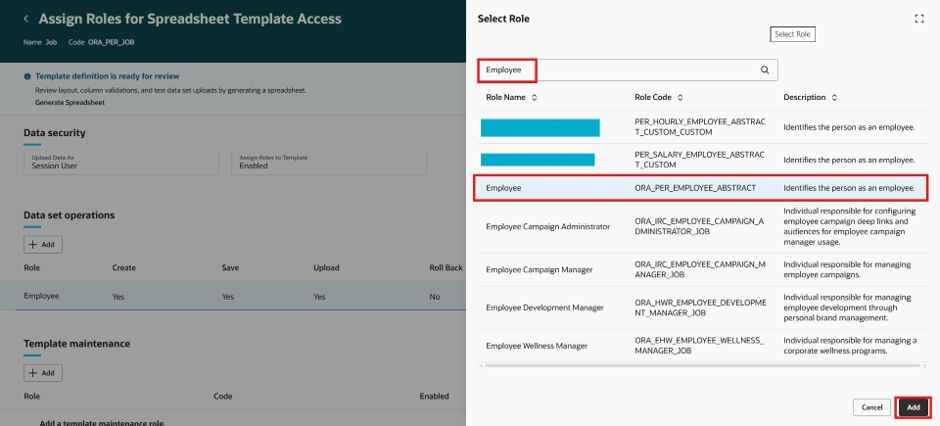
Search and select the required role then click on Add button

Click on +Add button under Template maintenance

Search and select the required role then click on Add button
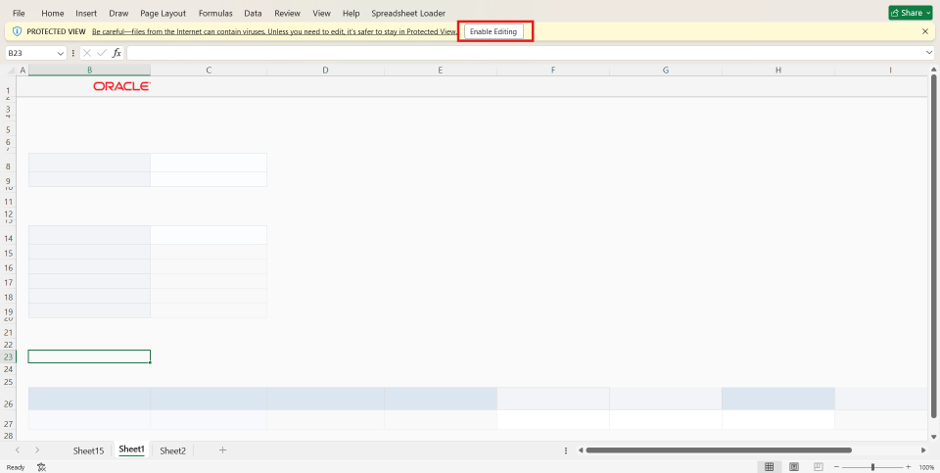
Now Click on Generate Spreadsheet, it will ask to download the excel file. Download and open the file.

Click on Enable Editing
It will ask user to connect with Oracle ADFDI, click on Yes
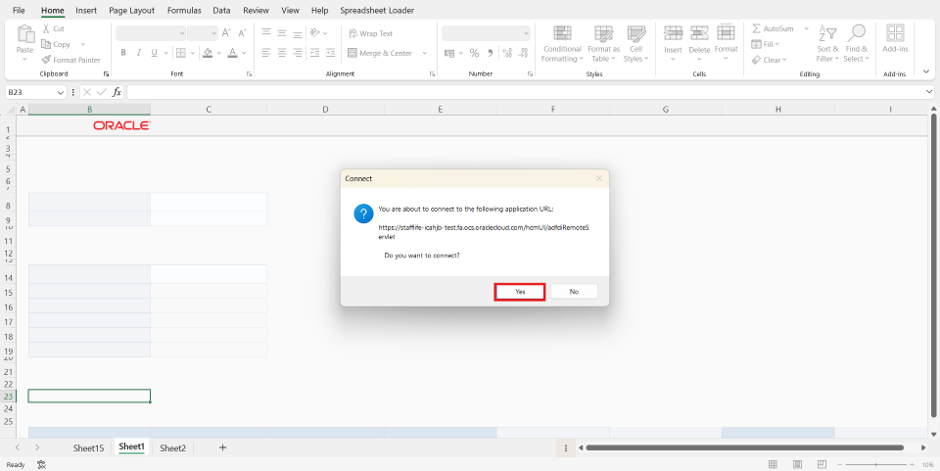
Now login with user credentials then click on Create Data Set under Spreadsheet Loader Tab

Click on Ok

Now click on Ok and you are ready to fill data in the spreadsheet

Now Fill the required data

Now Click on More > Click on Save > Click on Ok

Click on Refresh and it will appear – Ready to Process

Now click on More > Upload
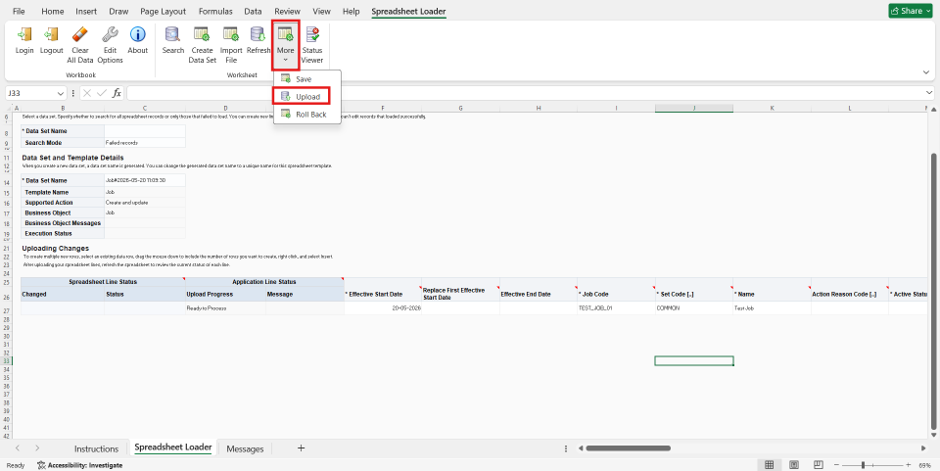
Click on Ok

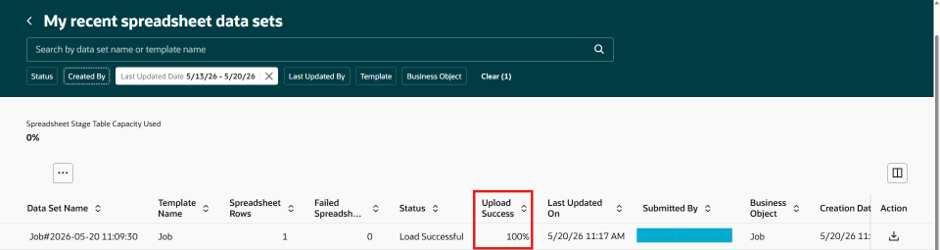
Now go to Application and Click on Recent Spreadsheet Loads under HCM Spreadsheet Data Loader

You can see the Upload Success 100%
To Verify the loaded job, Click on Workforce Structures under My Client Group > Click on Jobs
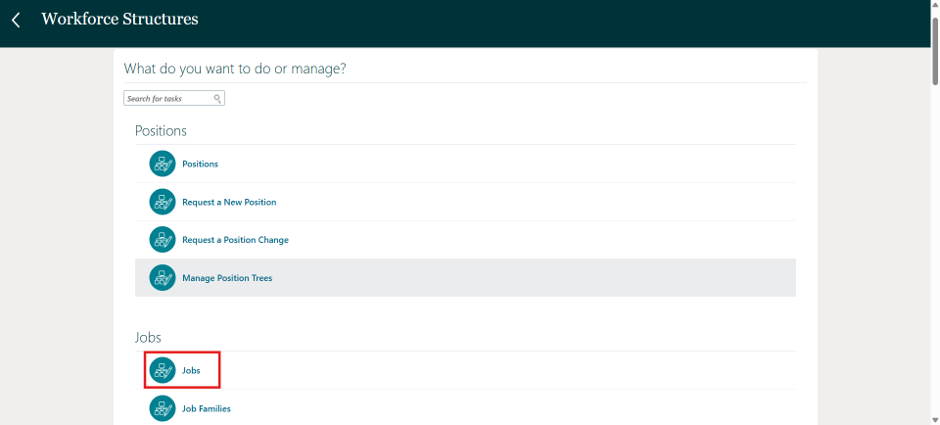
Search the Job and its loaded successfully

Setup For Desktop Integration Installer
User need to download Desktop Integration Installer to connect Spreadsheet template with Oracle.
Navigation
Go to Tools > Click on Download Desktop Integration Installer> Download the file and install it

If there is no option for Download Integration Installer Under tools then Click on + icon

Enable the Download Integration Installer Option and click on Save and Close

If this option is not available in Menu, then user need to add ‘HR Specialists’ Role to the account.

Difference Between HDL (HCM Data Loader) and HSDL (HCM Spreadsheet Data Loader) in Oracle Fusion HCM
1. Intended User & Interface
HDL: Built for technical integration specialists. Requires uploading .dat flat files, which are often generated via code or system extracts.
HSDL: Built for business users and HR analysts. It utilizes an Excel spreadsheet interface featuring drop-down menus, date pickers, and searchable lists (LOVs).
2. Volume & Automation
HDL: Designed for high-volume loads (tens of thousands of rows) and can be fully automated to run on schedules via REST APIs or enterprise integration tools.
HSDL: Designed for smaller to medium, day-to-day updates (e.g., 50 to 5,000 rows). It is a manual, self-service process that requires a user to click "upload" directly from the spreadsheet.
3. Error Handling & Validation
HDL: Validates data after the bulk upload process. If errors occur, the specialist must review log files, fix the .dat file, and resubmit.
HSDL: Provides real-time, on-screen validation. Errors are flagged directly within the spreadsheet cell before the upload is ever submitted.



Comments